Server-side operations with Java & Oracle
Learn how to perform server-side operations using the Oracle Database with a complete reference implementation.
In this guide we will show how large data sets, which are too big be loaded directly into the browser, can be managed by performing server-side operations inside the Oracle database.
We will develop a financial reporting application that demonstrates how data can be lazy-loaded as required, even when performing group, filter, sort and pivot operations.
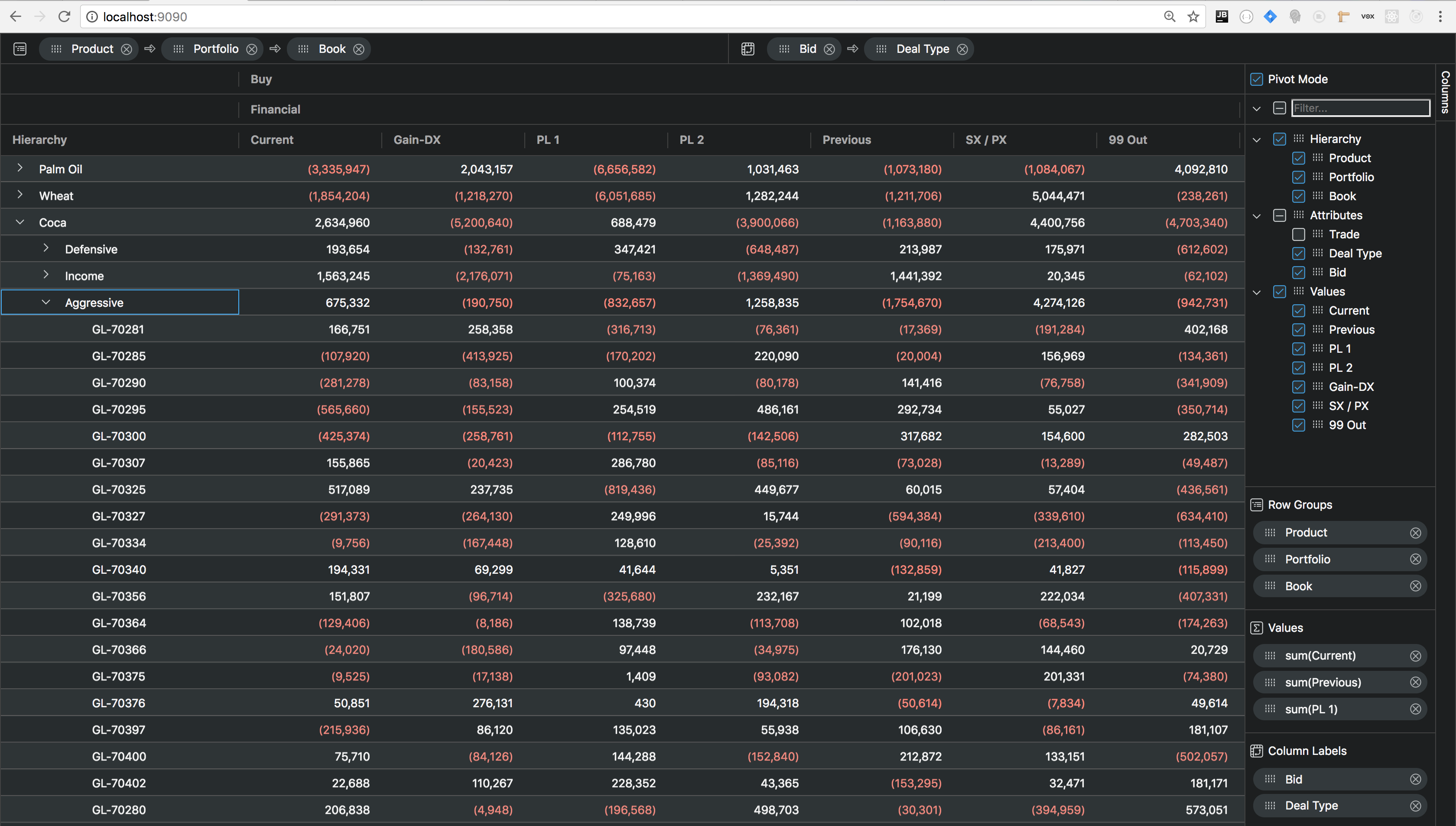
The source code can be found here: https://github.com/ag-grid/ag-grid-server-side-oracle-example
Overview
When designing a grid based application, one of the key considerations is how much data needs to be sent from the server to the client? As a developer using ag-Grid you won't need to switch between grids based on the answer to this question, instead just select the appropriate Row Model used by the grid.
Client-side Row Model
The simplest approach is to send all row data to the browser in response to a single request at initialisation. For this use case the Client-side Row Model has been designed.
This scenario is illustrated below where 10,000 records are loaded directly into the browser:
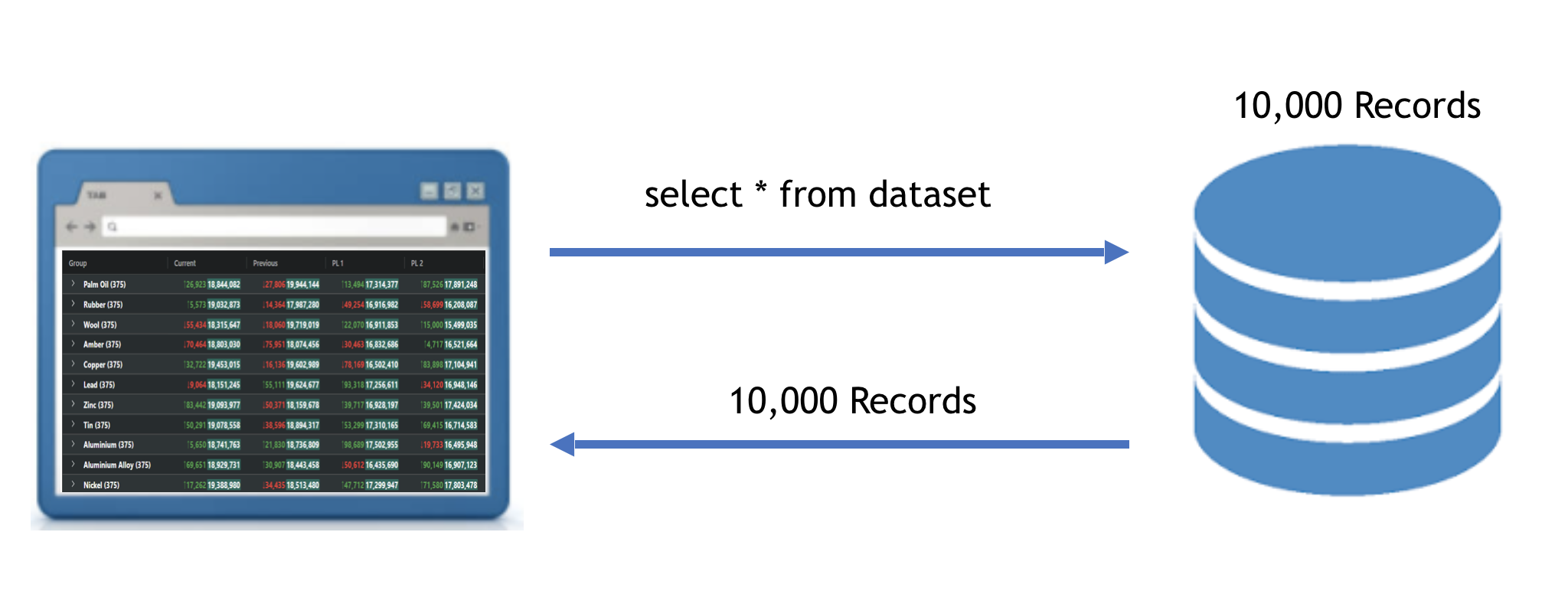
The Client-side Row Model only renders the rows currently visible, so the upper limit of rows is governed by the browsers memory footprint and data transfer time, rather than any restrictions inside the grid.
Server-side Row Model
However many real world applications contain much larger data sets, often involving millions of records. In this case it simply isn't feasible to load all the data into the browser in one go. Instead data will somehow need to be lazy-loaded as required and then purged to limit the memory footprint in the browser?
This is precisely the problem the Server-side Row Model addresses, along with delegating server-side operations such as filtering, sorting, grouping and pivoting.
The following diagram shows the approach used by the Server-side Row Model. Here there are 10 million records, however the number of records is only constrained by the limits of the server-side:
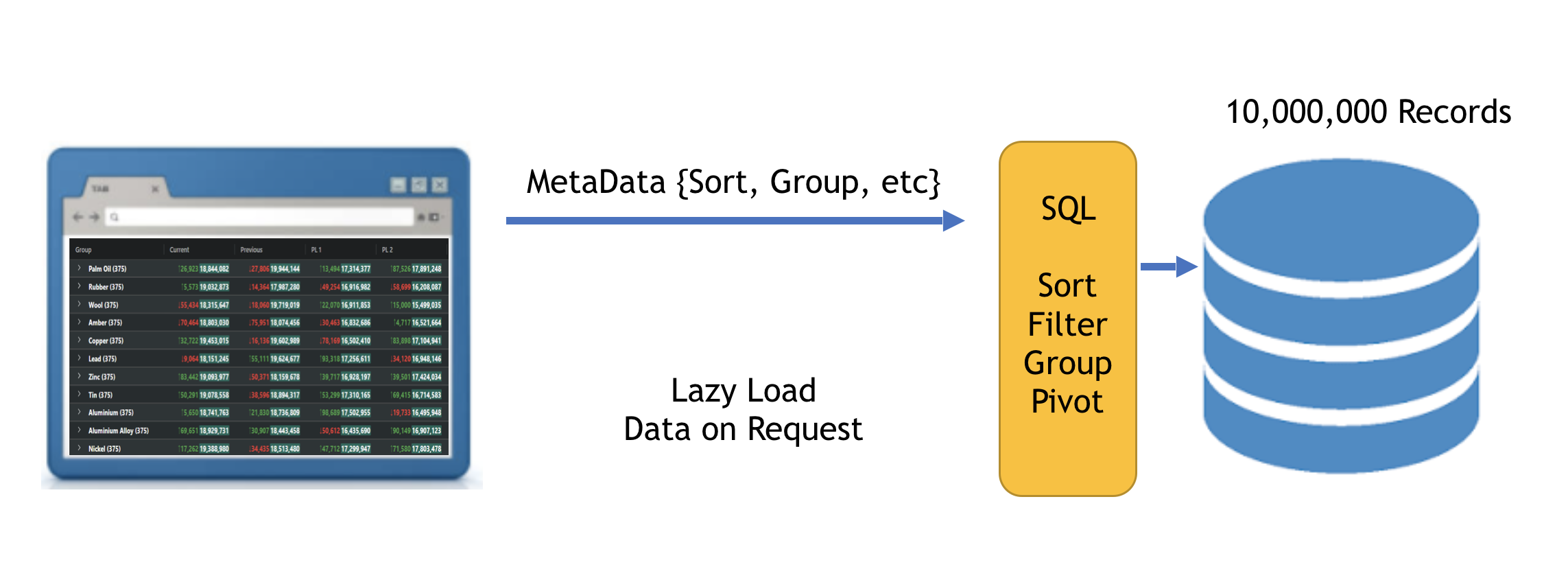
As the user performs operations such as sorting and grouping, the grid issues requests to the server that contains all the necessary metadata required, including which portion of data should be returned based on the users position in the data set.
The browser will never run out of heap space as the grid will automatically purge out-of-range records.
Throughout the rest of this guide we will demonstrate the power of the Server-side Row Model with the aid of a Java service connected to an oracle database.
Prerequisites
It is assumed the reader is already familiar with Java, Maven, Spring Boot and Oracle.
This example was tested using the following versions:
- ag-grid-enterprise (v18.0.0)
- Java(TM) SE Runtime Environment (build 1.8.0_162-b12)
- Java HotSpot(TM) 64-Bit Server VM (build 25.162-b12, mixed mode)
- Apache Maven (3.5.2)
- Oracle 12c Release 2 (12.2.0.1)
- Oracle JDBC Driver (ojdbc7-12.1.0.2)
Due to Oracle license restrictions the Oracle JDBC driver is not available in the public Maven repository and should be manually installed into your local Maven repository like so:
Also ensure the Oracle JDBC driver version also matches the Oracle POM dependency:
Download and Install
Clone the example project using:
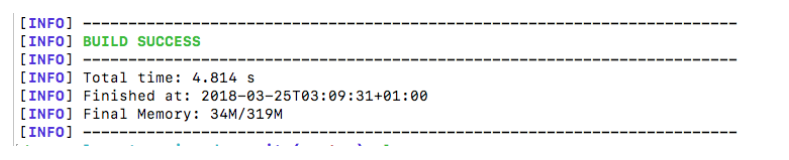
To confirm all went well you should see the following maven output:
Configure Oracle
Update the Oracle configuration accordingly with your database connection details:
Setup Data
Run the following script in Oracle to create the table required in this example:
Next run the following utility to populate it with data:
src/test/java/com/ag/grid/enterprise/oracle/demo/TradeDataLoader.java
Run the App
From the project root run: mvn spring-boot:run
If successful you should see something like this:

To test the application point your browser to: localhost:9090
Server-side Row Model Interfaces
Our Java service will use the following request and response objects:
We will discuss these in detail throughout this guide, however for more details see: Server-side Datasource
Service Controller
Our service shall contain a single endpoint /getRows with the request and response objects defined above:
The TradeController makes use of the
Spring Controller
to handle HTTP and JSON Serialization.
Data Access
The OracleSqlQueryBuilder dynamically generates SQL based on the supplied request. We will query
the Trade table with our generated SQL using the
Spring JDBC Template.
Here is the implementation of our TradeDao:
Filtering
Our example will make use of the grids NumberFilter and SetFilter
Column Filter's. The corresponding server side classes are as follows:
These filters are supplied per column in the ServerSideGetRowsRequest via the following property:
As these filters differ in structure it is necessary to perform some specialised deserialization using the Type Annotations provided by the Jackson Annotations project.
When the filterModel property is deserialized, we will need to select the appropriate concrete
ColumnFilter as shown below:
Here we are using the filterType property to determine which concrete filter class needs to be
associated with the ColumnFilter entries in the filterModel map.
Sorting
The ServerSideGetRowsRequest contains the following attribute to determine which columns to sort by:
The SortModel contains the colId (i.e. 'book') and the sort type (i.e. 'asc')
The OracleSqlQueryBuilder then appends accordingly to the ORDER BY clause:
Grouping
Grouping is easily achieved in the OracleSqlQueryBuilder by appending rowGroups
to the GROUP BY like so:
Pivoting
In order to perform pivoting we will use the OracleSqlQueryBuilder to generate a series of decode
statements for each combination of pivot and value columns, such as:
These new pivot columns (i.e. 'Secondary Columns') are created using the row values contained in the data and have
field names such as: Financial_Buy_CURRENTVALUE.
These will need to be returned to the grid in the ServerSideGetRowsResponse in the following property:
Our client code will then use these secondary column field to generate the corresponding ColDef's like so:
In order for the grid to show these newly created columns an explicit api call is required:
Infinite Scrolling
The ServerSideGetRowsRequest contains the following attribute to determine the range to return:
The OracleSqlQueryBuilder uses this information when limiting the results as follows:
Conclusion
In this guide we presented a reference implementation for integrating the Server-side Row Model with a Java service connected to an Oracle database. This included all necessary configuration and install instructions.
A high level overview was given to illustrate the problem this approach solves before providing details of how to achieve the following server-side operations:
- Filtering
- Sorting
- Grouping
- Pivoting
- Infinite Scrolling