ag-Grid Modules - More Details
ag-Grid modules allow you to pick and choose which features you require, resulting in a smaller application size overall,
with the trade-off being that you need to register the modules you require.
Introduction
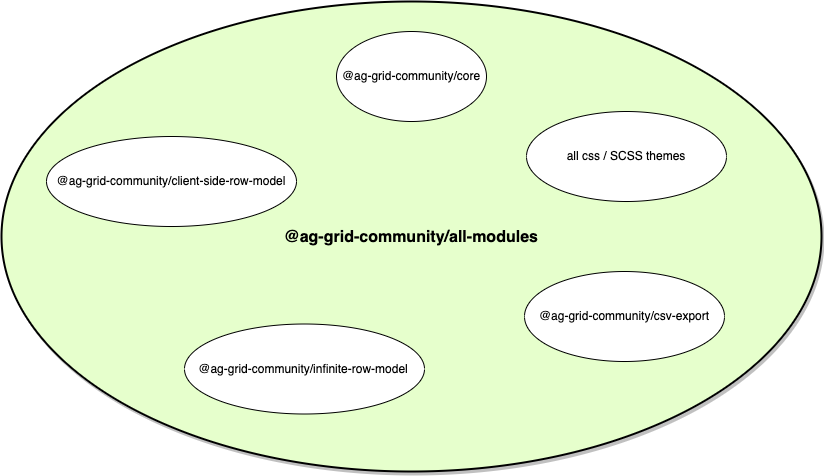
@ag-grid-community/all-modules
@ag-grid-community/all-modules can be considered to be equivalent to ag-grid-community, but
with the additional
need to register modules within. If using this module you might be better off using ag-grid-community
as the bundle size
will be similar and will reduce the need to register modules.
@ag-grid-enterprise/all-modules
@ag-grid-enterprise/all-modules can be considered to be equivalent to ag-grid-enterprise,
but with the additional
need to register modules within. If using this module you might be better off using ag-grid-enterprise
(along with ag-grid-enterprise) as the bundle size will be similar and will reduce the need to register
modules.
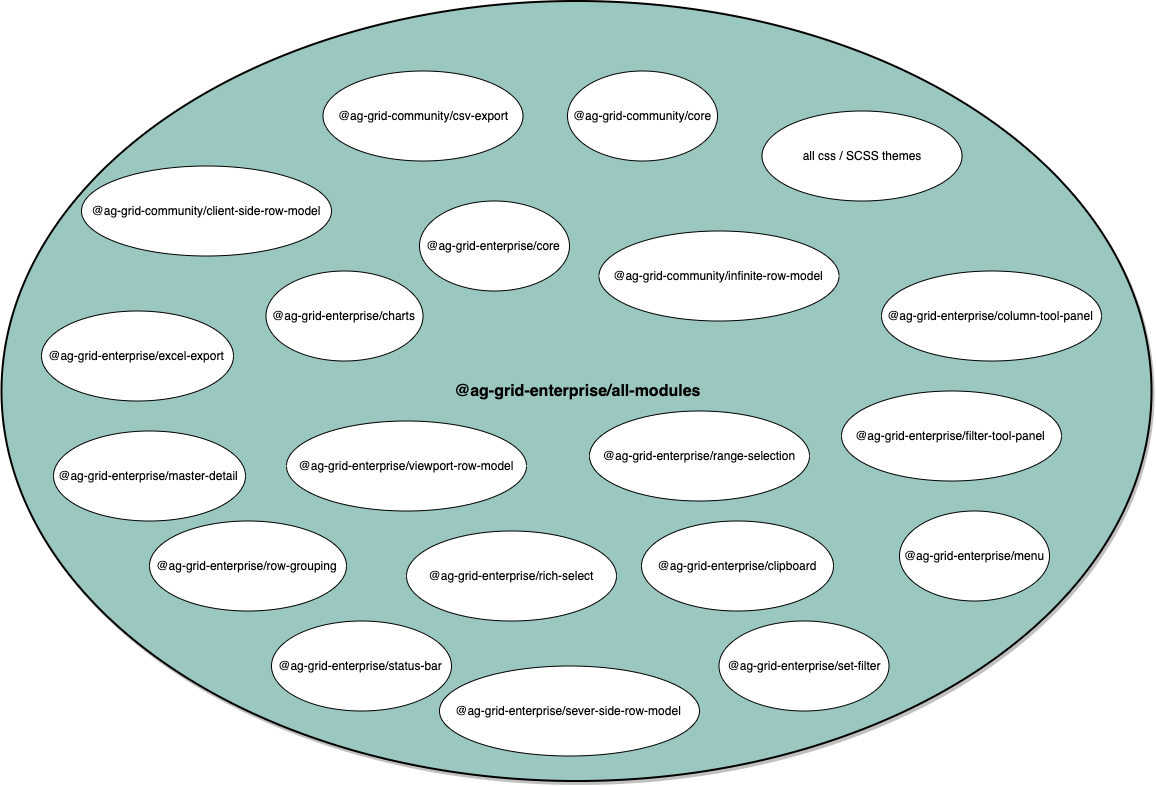
@ag-grid-enterprise/all-modules then you do not
need to
specify @ag-grid-community/all-modules too. @ag-grid-enterprise/all-modules
will contain all Community modules.
@ag-grid-community/core
This module contains the core code required by the Grid and all modules (Enterprise or Community) depend on it.
As such @ag-grid-community/core will always be available no matter what module you specify in your package.json.
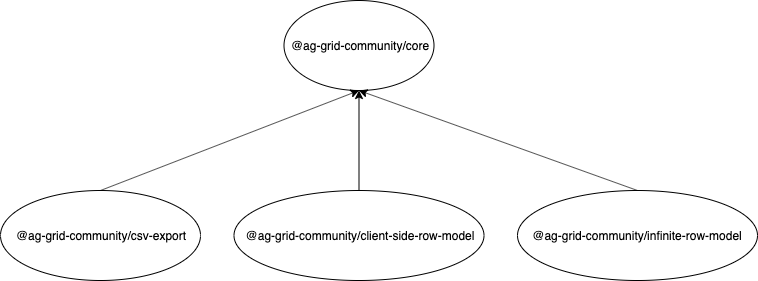
For example, let's assume you specify the following in your package.json:
You can then use @ag-grid-community/core as this will be implicitly available to you:
@ag-grid-enterprise/core
All Enterprise modules depend on @ag-grid-enterprise/core as such will always be available no matter what
Enterprise module you specify in your package.json.
The main functionality you'll want to import from the @ag-grid-enterprise/core is the LicenceManager.
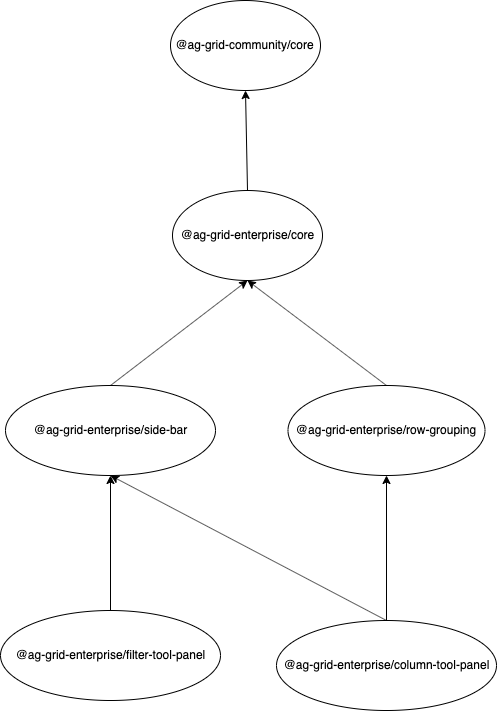
The above is a truncated hierarchy of Entreprise modules for illustrative purposes.
For example, let's assume you specify the following in your package.json:
You can then use @ag-grid-enterprise/core as this will be implicitly available to you: