
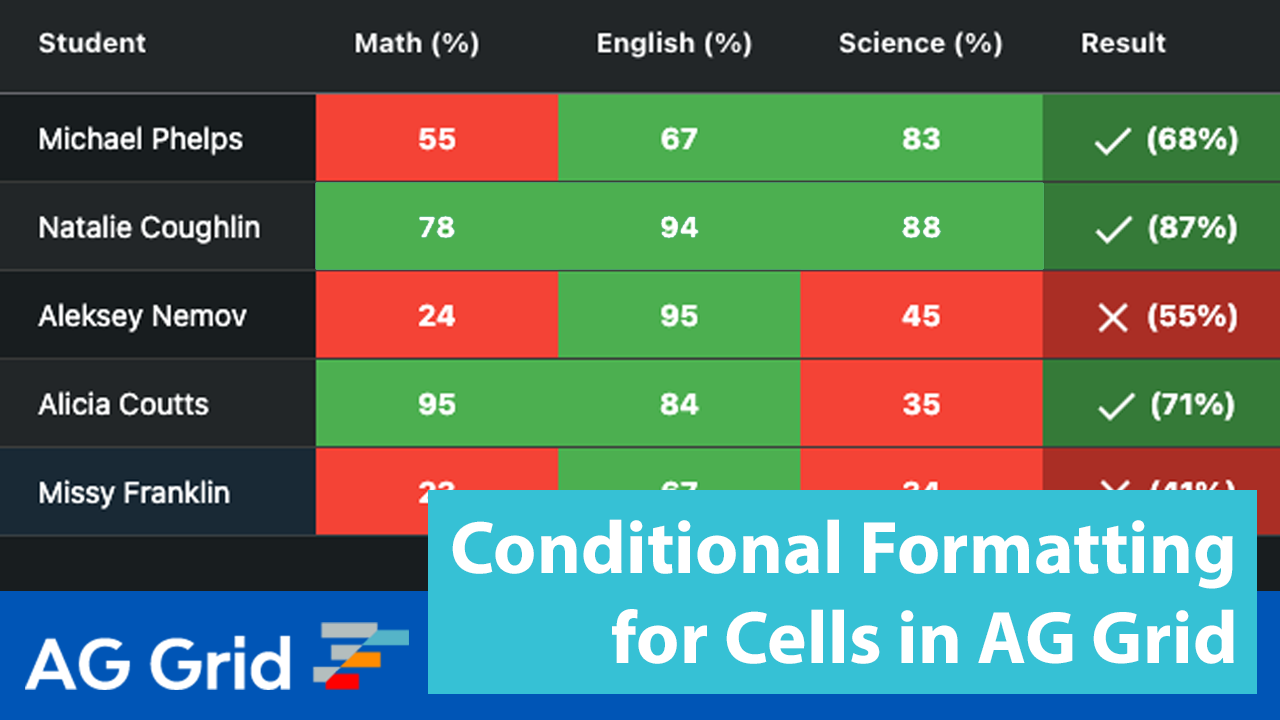
Conditionally formatting cells in AG Grid is done using Cell Class Rules. Cell Class Rules are configured on Column Definitions. This feature is useful when you want to make different cells stand out so your users can quickly identify them.

Column Definitions
Below is an example of Column Definitions with Cell Class Rules.
// javascript

const cellClassRules = {
  "cell-pass": params => params.value >= 60,
  "cell-fail": params => params.value < 60
};

const columnDefs {
  { field: 'student' },
  { field: 'math', cellClassRules: cellClassRules },
  { field: 'english', cellClassRules: cellClassRules },
  { field: 'science', cellClassRules: cellClassRules },
}
The key of the Cell Class Rules is a CSS class and the value is a function that returns true or false. If true the CSS class is applied and if false it is not. Thus you will also need to define these CSS classes.
/* style.css */

.cell-fail {
  text-align: center;
  font-weight: bold;
  background-color: #f44336;
}

.cell-pass {
  text-align: center;
  font-weight: bold;
  background-color: #4caf50;
}
Cell Class Rules are explained in the AG Grid documentation.