
WebMCP in Studio: let your user’s agents do the work
One of the hardest parts of any AI tool built into products is who pays for the tokens.
There is a huge demand, both externally and internally, to include an Agent in every product that gets released. However, we rarely ask the question: “Who pays for it?”. Not even the development work, not the marketing, but the actual tokens spent by users in your product. Since AI is a new technology, users are unlikely to pay extra for such a feature unless they’ve had a real chance to experience its worth. Until that moment, the cost falls on the business. If you’re operating a $500 per seat SaaS, that’s fine, but if you run a free or cheap simple service simply to help people out it’s a cost you can’t afford.
Enter WebMCP
That’s where WebMCP comes in. WebMCP is a new protocol designed to bring the features of MCP directly into the browser. While the protocol itself is early in the design phase, with Chrome still the only browser to ship it and even then under a dev flag, it’s starting to see a lot of marketing – and even integration with the latest ChatGPT Desktop client.
So what is WebMCP, and why should you care?
Have a play
Below is a demo application built using AG Studio that can be controlled entirely by WebMCP.
Using a combination of built-in tools, along with new paradigms such as tool libraries, a WebMCP-enabled agent can open the page, query the data, and build full dashboards. We’ve even hooked up our own Data Analyst agent that the agent you provide can call in to, allowing us to use specialist knowledge for our specific tasks.
 React Source Code
The simplest way to experiment with WebMCP is to point your ChatGPT Desktop application directly at the website. You can also use the WebMCP Browser Plugin to understand what is going on, although we may need to enable your browser to use it.
Tools all the way down
The real game changer for AI is tools. It’s what transformed single-threaded chats into complex agent networks acting for themselves. Everything your agent does is a tool call; writing a note in a file, reading an email, even updating the name of the conversation you’re currently having. When MCP came out, it was a way for services to share tools that interacted with their products. The Github MCP server, for example, could create PRs. WebMCP is the logical extension of that. It provides tools to any agent that happens to visit your website.
How to enable WebMCP
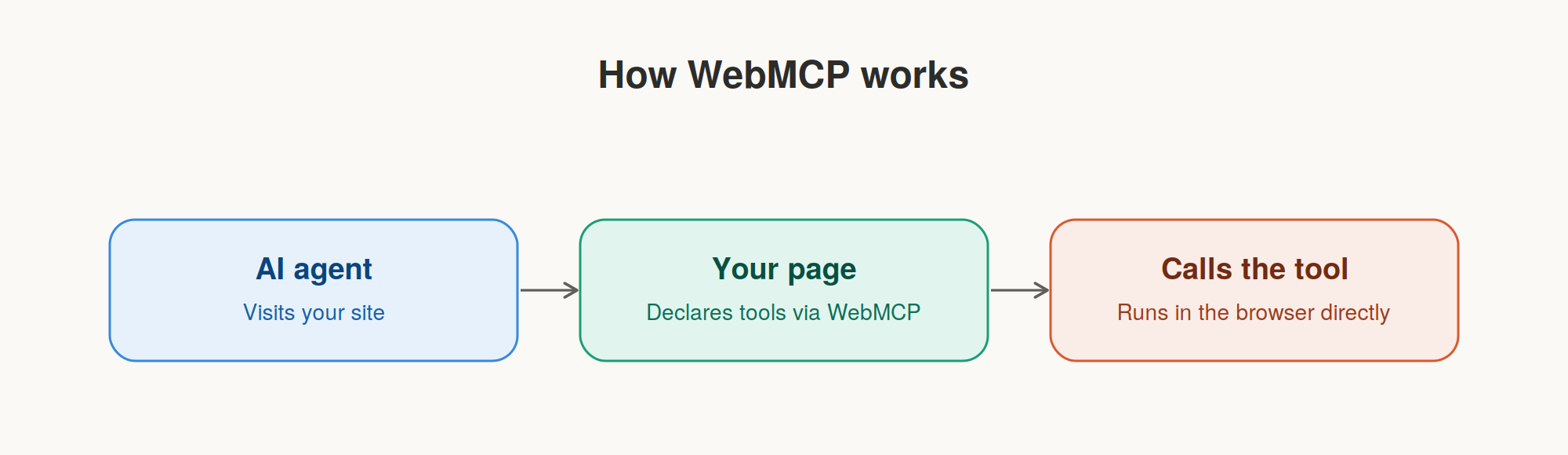
WebMCP is enabled in your application by declaring document.modelContext. This new addition to the document allows you to declare a set of tools that an AI agent visiting your website can do. Rather than the agent needing to take screenshots and scan the HTML for content, it can instead quickly see what options are available to it and act on them. It uses far fewer tokens and provides much more accurate results.
Staying User-Centric
While playing with the demo above, we didn’t spend any tokens (unless you asked our agent a question). Those tokens were spent by the user. That’s great for a small business, but a user might not be the happiest about having to spend their own tokens, especially if they are working with a product they already pay for. However, the advantages to the user still outweigh the cost.
As I discussed in my previous article (“Who Owns the Harness?”), we are seeing a plethora of AI Assistants pop up. Every application I use now, whether in the browser or natively installed, has some kind of LLM-based chat functionality. Yet none of them talk to each other. Zendesk has no knowledge of an email bug report I received. My budgeting app doesn’t know that I’ve just bought a new car. While these services may offer some level of integration, the truth is that I don’t want my budgeting app reading all my data and sending it off to who knows where.
With WebMCP, everything can happen in one place. Users can have their own agent read their emails over MCP, then use WebMCP to add a relevant ticket into Zendesk. And because it all happens in the browser, it’s easy to get visual feedback of what is happening and catch any errors. Since it lives in browser context, it also inherits all the same security attached to that user, so you don’t need an entirely new security model for a direct MCP connection.
WebMCP in AG Studio
We have spent a lot of time ensuring that the Studio Agent Framework is designed to be flexible. When ChatGPT announced its integration with WebMCP and adoption started to increase, it took us 20 minutes to have a working demo. Our tools are already individually available and configurable. You can use them with our harness, a third party or custom harness, or indeed with WebMCP.
What’s next
While the spec for WebMCP is still evolving, we’re leaving the integration approach up to you. That allows you to quickly adjust your use case for the latest WebMCP features and ensure you still support legacy browsers.
We’re really excited about what WebMCP might bring in the future and what it might allow users to do in your application.