
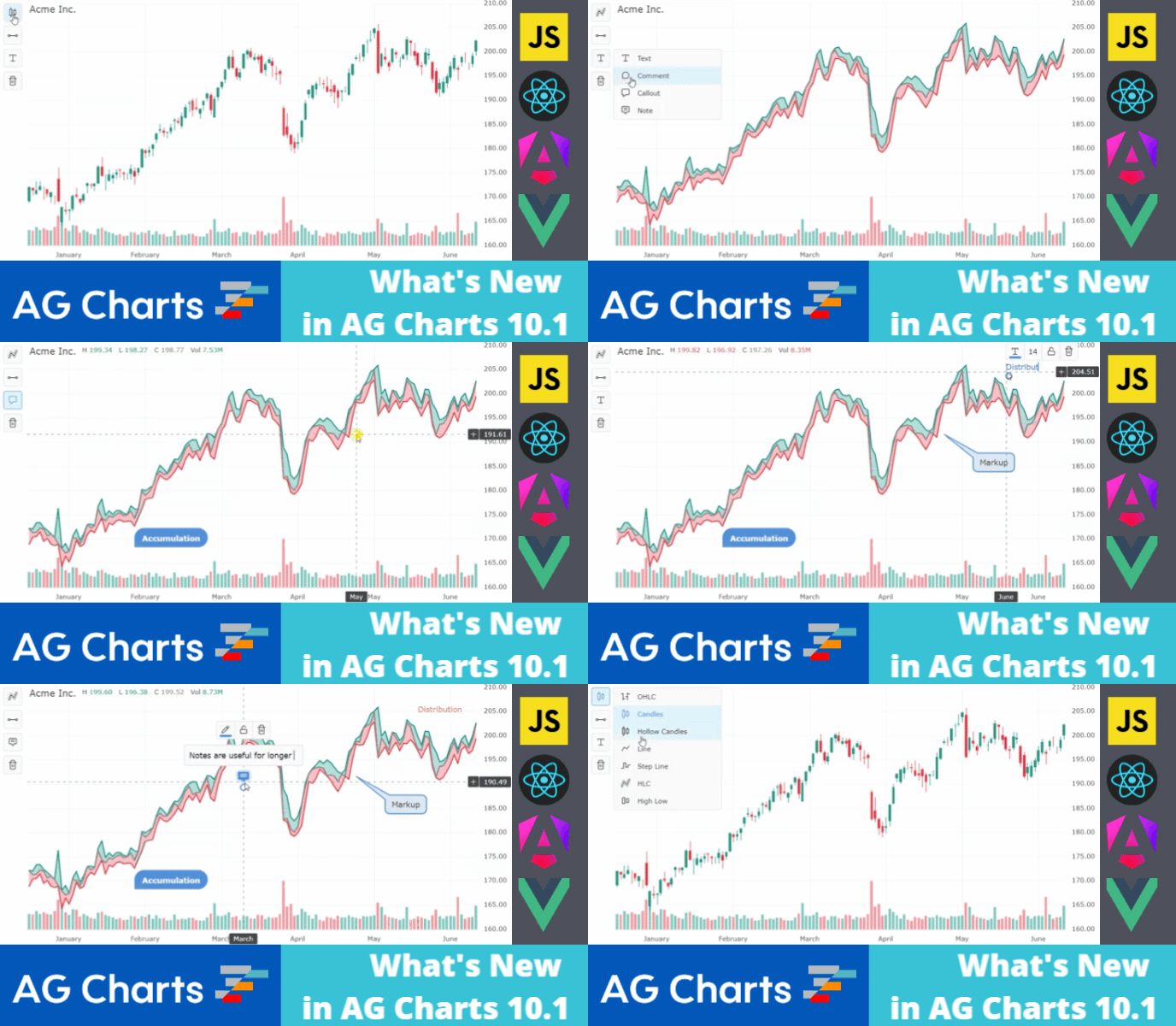
AG Charts 10.1 is an important minor release which significantly enhances Financial Charts. It includes a toolbar button for Financial Chart Type Selection, as well as Text, Comment, Callout and Note annotations. There are also improvements to the Financial Charts UI, stability and performance:
As this is a minor version there are no breaking changes for anyone upgrading from AG Charts 10. However, we recommend reading the migration guide and reviewing the list of changes in the release notes when planning to update to this version.
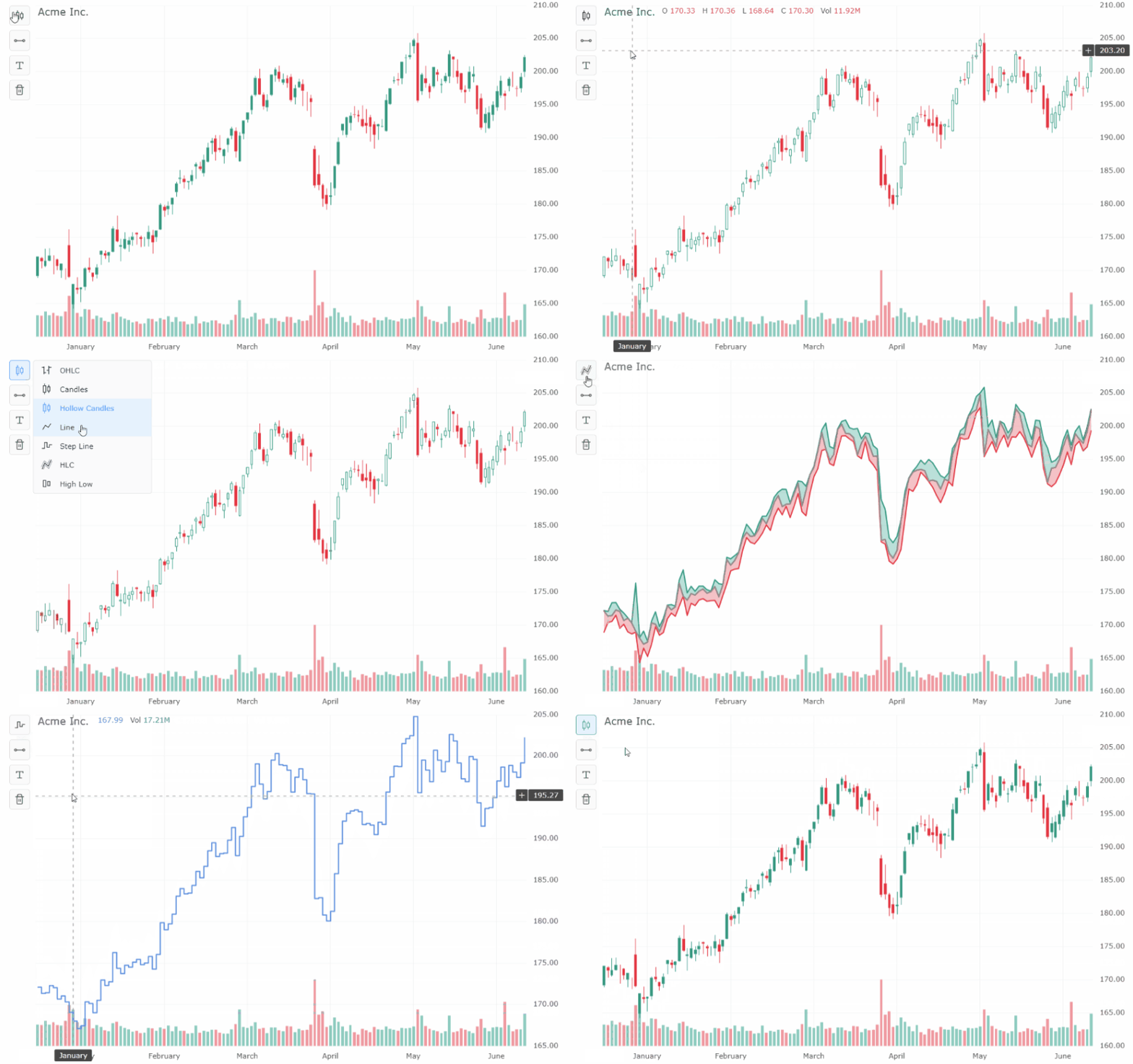
Financial Chart Type Selection
Users can choose the series type used to display the price data when using Financial Charts. Available series types are Candlestick, Hollow Candlestick, OHLC, Line, Step Line, HLC and High Low.
See this documented here and illustrated below:
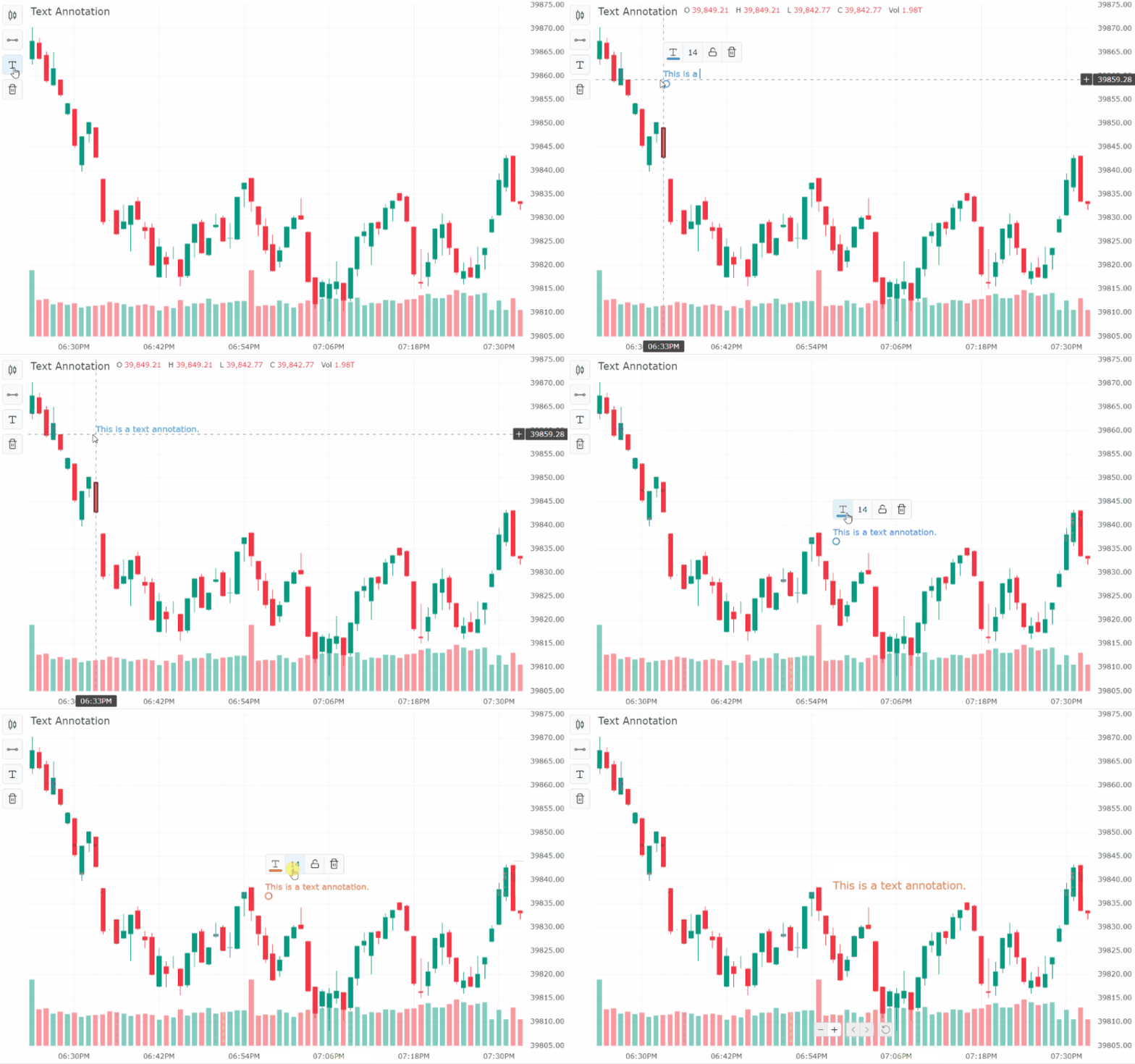
Text Annotation
Users can add, style and edit a "Text" annotation.
See this documented here and illustrated below:
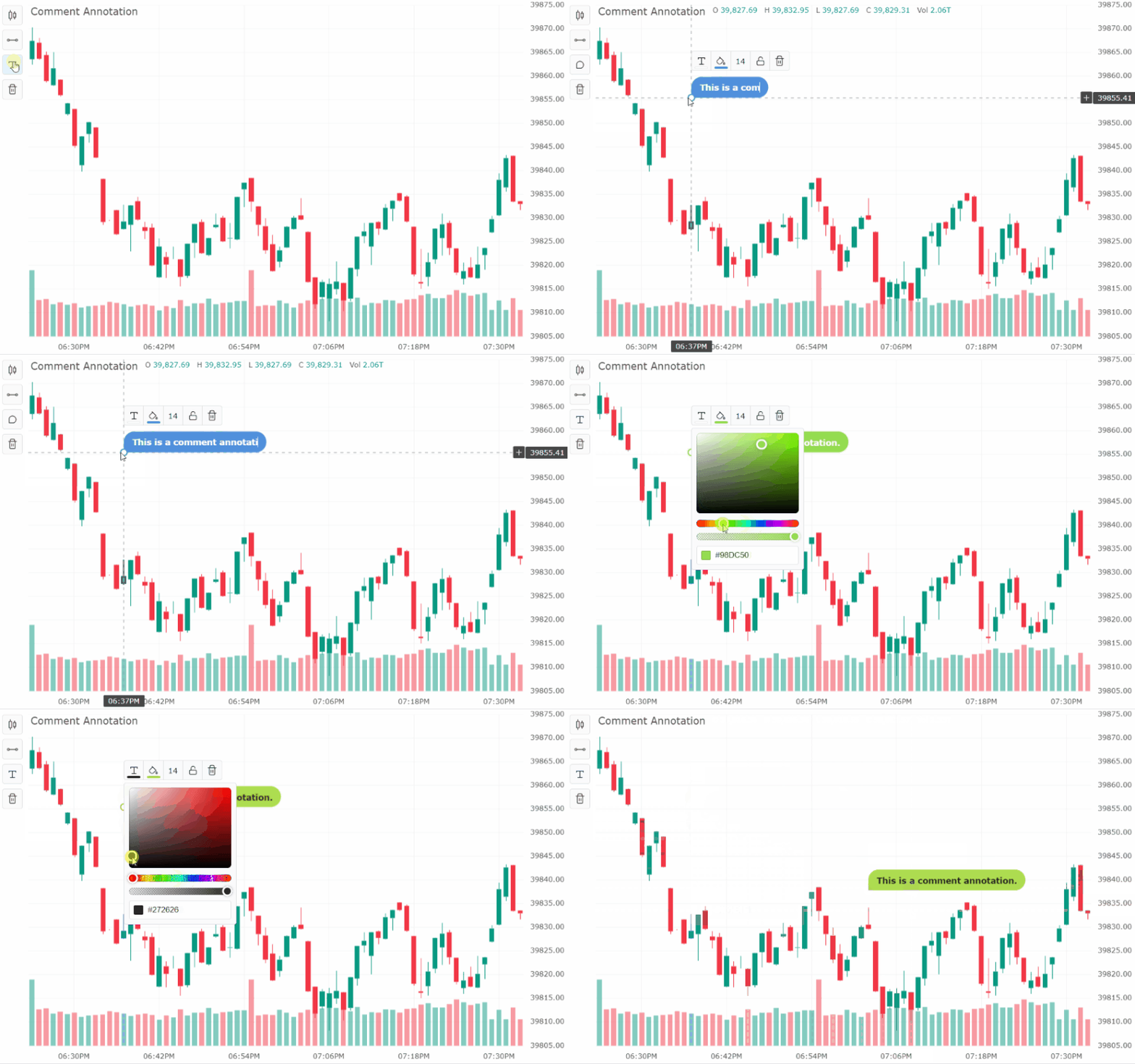
Comment Annotation
Users can add a comment annotation. This puts the text inside a box.
See this documented here and illustrated below:
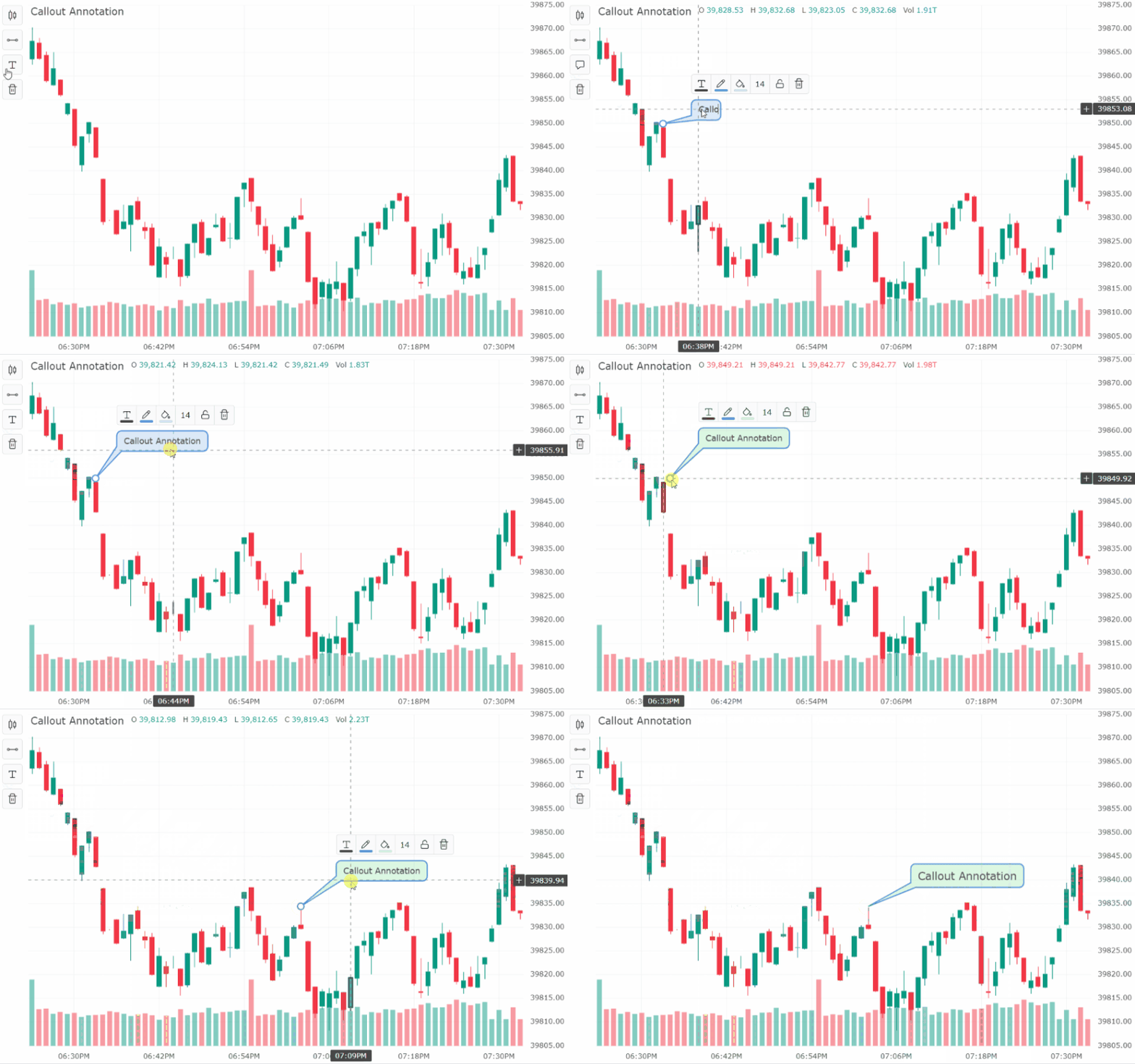
Callout Annotation
Users can add a callout annotation. This puts the text inside a movable box, with a callout tail anchored to a specific point on the chart.
See this documented here and illustrated below:
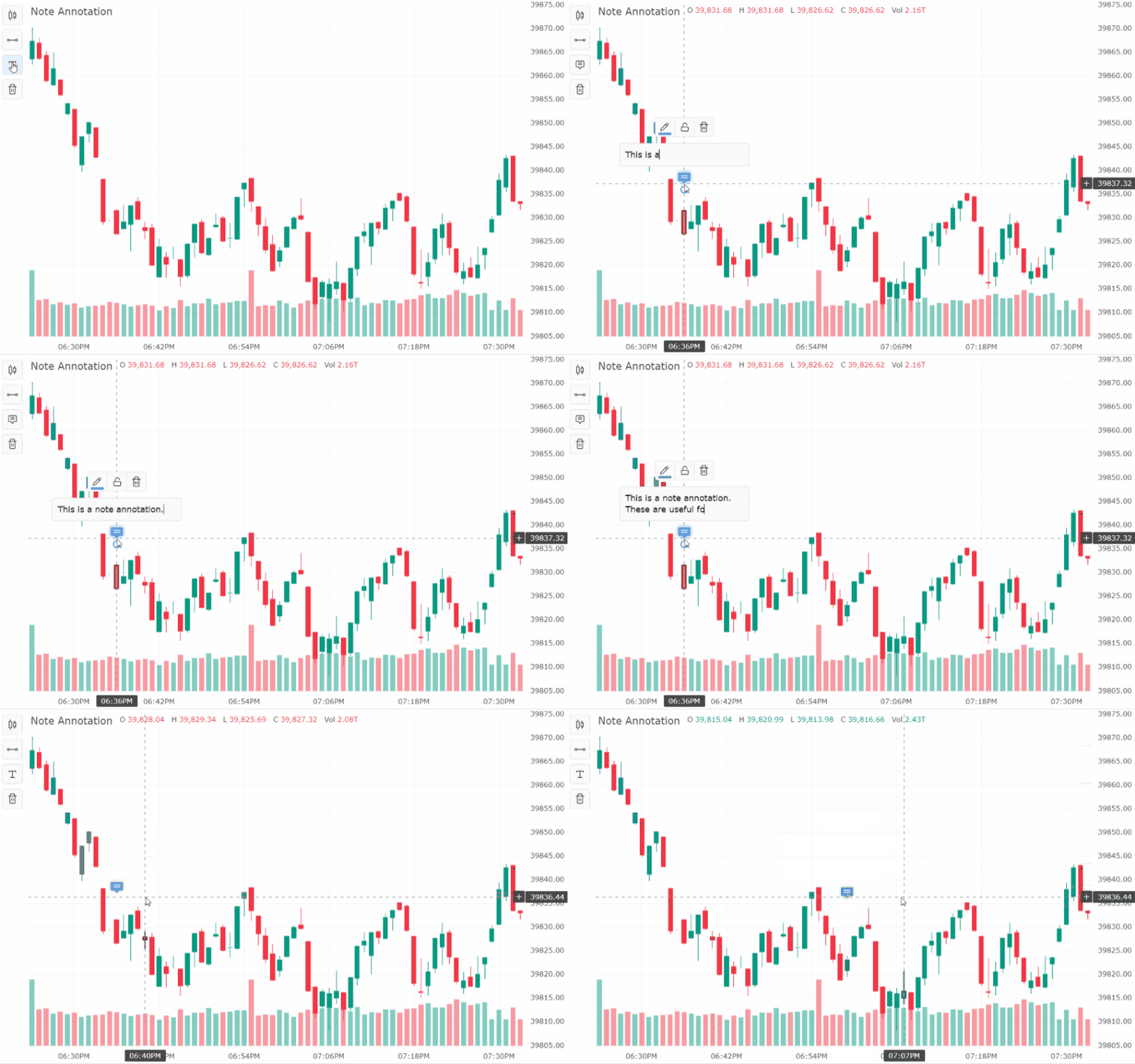
Note Annotation
Users can add a note annotation. This is useful for longer text annotations. The text is hidden to avoid cluttering the chart, and is represented by an icon. The text is only shown when hovering the icon.
See this documented here and illustrated below:
Summary
AG Charts 10.1 is an important minor version - it adds new functionality to the Financial Charts toolbar. This includes Financial Chart Type Selection, as well as Text, Comment, Callout and Note annotations. In addition, there are enhancements to Financial Charts features as well as improvements in UI, performance and stability.
If you're upgrading from a previous version of AG Charts, we recommend reviewing the release notes when planning to update. You can also see the full list of changes in our changelog.
As always, we’re keen to help you upgrade and to hear your feedback.
Happy coding!