The grid can be configured to allow simple text selection.
Enabling Cell Text Selection Copy Link
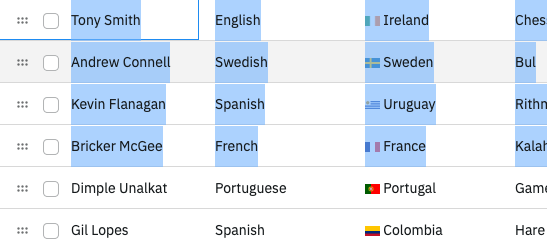
To enable text selection as if the grid were a regular table, set the grid option enableCellTextSelection = true. For the selection to work correctly, the order of the rows within the DOM must match what is displayed by setting the grid option ensureDomOrder = true.
import {
  createApp,
  defineComponent,
  onBeforeMount,
  ref,
  shallowRef,
} from "vue";
import { AgGridVue } from "ag-grid-vue3";
import {
  ClientSideRowModelModule,
  ColDef,
  ColGroupDef,
  GridApi,
  GridOptions,
  GridReadyEvent,
  ModuleRegistry,
  enableDevValidations,
} from "ag-grid-community";
import { IOlympicData } from "./interfaces";

if (process.env.NODE_ENV !== "production") {
  // Enable extended validations only for development
  enableDevValidations();
}

ModuleRegistry.registerModules([ClientSideRowModelModule]);

const VueExample = defineComponent({
  template: `
        <div style="height: 100%">
                <ag-grid-vue
      style="width: 100%; height: 100%;"
      @grid-ready="onGridReady"
      :columnDefs="columnDefs"
      :enableCellTextSelection="true"
      :ensureDomOrder="true"
      :rowData="rowData"></ag-grid-vue>
        </div>
    `,
  components: {
    "ag-grid-vue": AgGridVue,
  },
  setup(props) {
    const gridApi = shallowRef<GridApi<IOlympicData> | null>(null);
    const columnDefs = ref<ColDef[]>([
      { field: "athlete" },
      { field: "sport" },
      { field: "age" },
    ]);
    const rowData = ref<IOlympicData[]>(null);

    const onGridReady = (params: GridReadyEvent) => {
      gridApi.value = params.api;

      const updateData = (data) => (rowData.value = data);

      fetch("https://www.ag-grid.com/example-assets/olympic-winners.json")
        .then((resp) => resp.json())
        .then((data) => updateData(data));
    };

    return {
      gridApi,
      columnDefs,
      rowData,
      onGridReady,
    };
  },
});

const app = createApp(VueExample);
app.mount("#app");
When enableCellTextSelection is set to true, the default Clipboard behaviour is disabled, and only the selected text is copied.