Server-side Row Model
When working with very large datasets, use the Server-side Row Model to lazy-load data while performing server-side operations such as grouping, filtering and pivoting.
Overview
When designing a grid based application, one of the key considerations is how much data needs to be sent from the server to the client? As a developer using ag-Grid you won't need to switch between grids based on the answer to this question, instead just select the appropriate Row Model used by the grid.
Also see our guides which provide reference implementations for numerous data sources:
Client-side Row Model
The simplest approach is to send all row data to the browser in response to a single request at initialisation. For this use case the Client-side Row Model has been designed.
This scenario is illustrated below where 10,000 records are loaded directly into the browser:
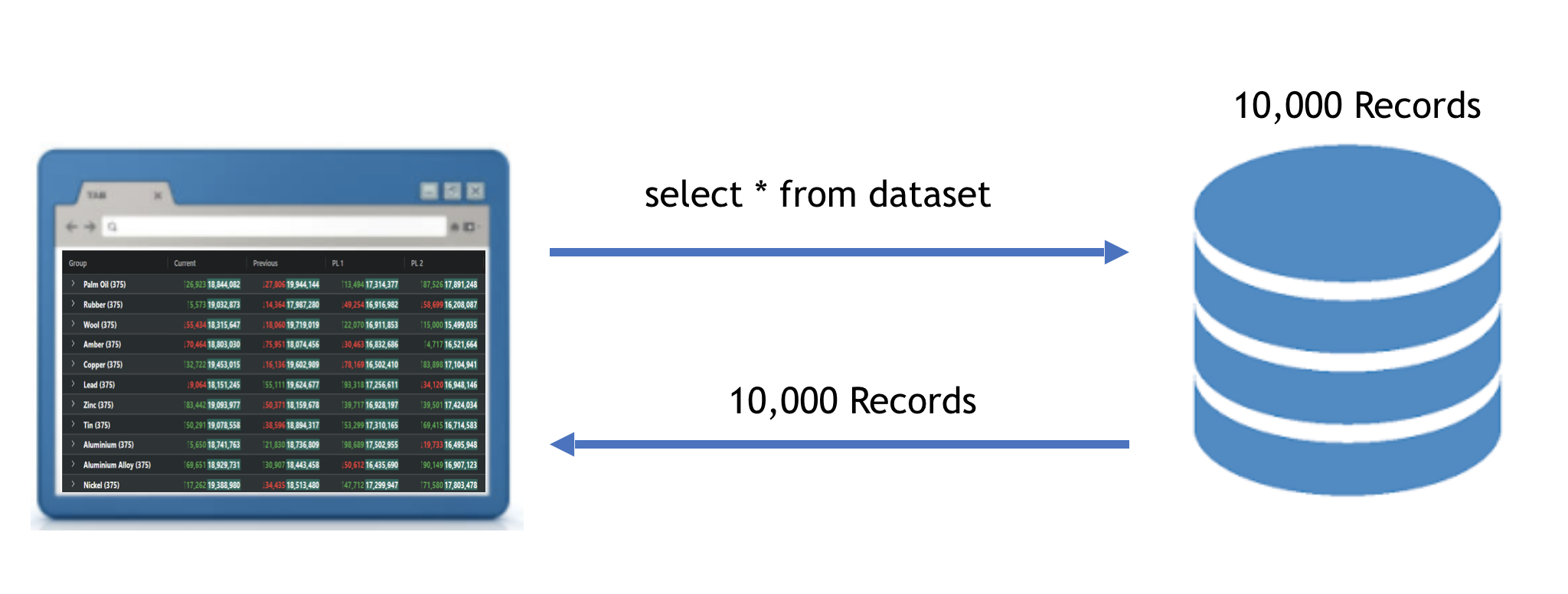
The Client-side Row Model only renders the rows currently visible, so the upper limit of rows is governed by the browsers memory footprint and data transfer time, rather than any restrictions inside the grid.
Server-side Row Model
However many real world applications contain much larger data sets, often involving millions of records. In this case it simply isn't feasible to load all the data into the browser in one go. Instead data will somehow need to be lazy-loaded as required and then purged to limit the memory footprint in the browser?
This is precisely the problem the Server-side Row Model addresses, along with delegating server-side operations such as filtering, sorting, grouping and pivoting.
The following diagram shows the approach used by the Server-side Row Model. Here there are 10 million records, however the number of records is only constrained by the limits of the server-side:
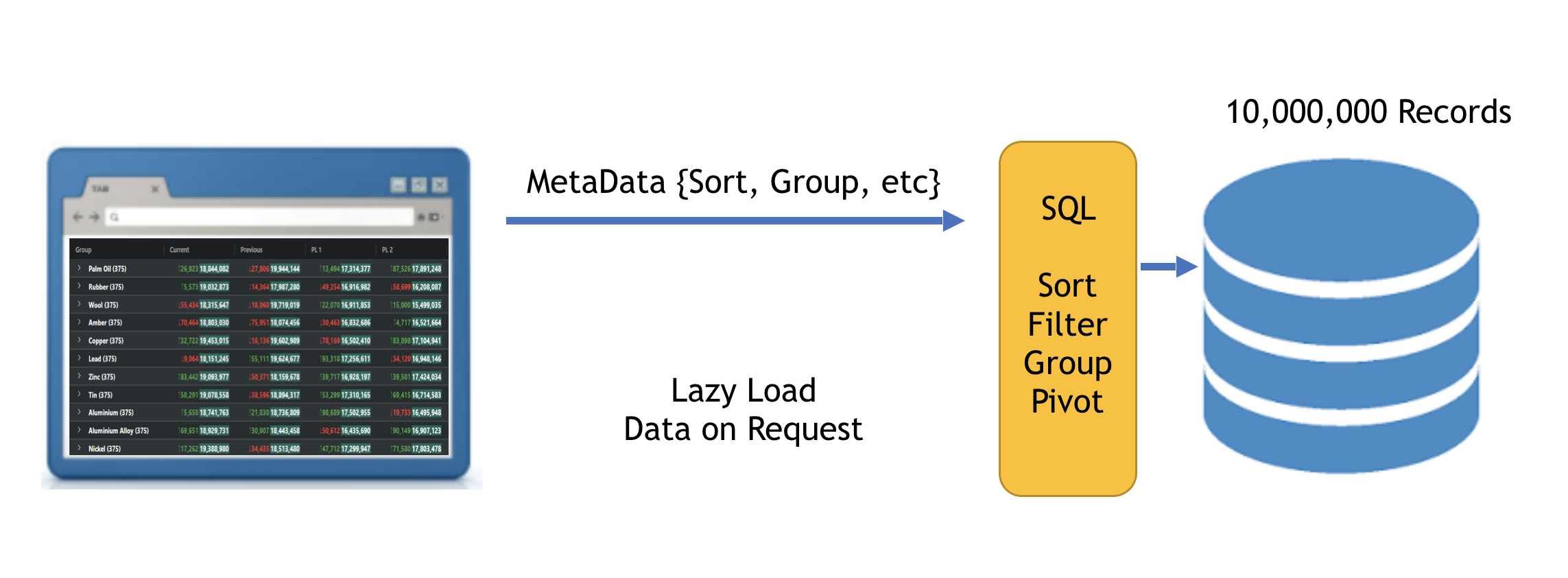
As the user performs operations such as sorting and grouping, the grid issues requests to the server that contains all the necessary metadata required, including which portion of data should be returned based on the users position in the data set.
The browser will never run out of heap space as the grid will automatically purge out-of-range records.
Features
You may benefit from the combination of all these features or just be interested in a subset. The features of the Server-side Row Model are:
- Lazy Loading of Groups: The grid will load the top level rows only. Children of groups are only loaded when the user expands the group. Some applications may use the Server-side Row Model for this one feature alone e.g. you might have a managers database table, you can display a list of all managers, then click 'expand' on the manager and the grid will then request to get the 'employees' for that manager.
- Server-side Grouping, Pivot and Aggregation: Because the data is coming back from the server one group level at a time, this allows you to do aggregation on the server, returning back the aggregated results for the top level parent rows. For example you could include 'employee count' as an attribute on the returned manager record, to say how many employees a manager manages.
- Infinite Scrolling: Rows are read back from the server in blocks to provide the experience of infinite scrolling. This happens at each grouping level (ie the top level rows are brought back in blocks, then when you expand a group, the children of that group are also loaded in blocks). This allows viewing very large datasets in the browser by only bringing back data one block at a time. This feature reuses the logic from the Infinite Scrolling row model, so understanding how that row model works will help you in understanding this part of the Server-side Row Model.
- Slice and Dice: Assuming your server-side can build the data query, you can allow the user to use the ag-Grid UI to drag columns around to select what columns you want to group by and aggregate on. What the user selects will then be forwarded to your datasource as part of the request. This feature is advanced and will require some difficult server-side coding from you, however if done correctly then your users will have an experience of slicing and dicing large data in real time, something previously only available in expensive reporting tools, now you can embed it into your JavaScript application.
Server-side Datasource
Like the Infinite Scrolling and Viewport Row Models, you must register a datasource with the grid.
The interface for the datasource is as follows:
Each time the grid requires more rows, it will call the getRows() method.
The method is passed a params object that contains two callbacks (one for
success and one for failure) and a request object with details what row the grid
is looking for. The interface for the params is as follows:
The request gives details on what the grid is looking for. The success and failure callbacks are not included inside the request object to keep the request object simple data (ie simple data types, no functions). This allows the request object to be serialised (eg via JSON) and sent to your server. The request has the following interface:
Next Up
To see how the above interfaces are implemented, continue to the next section: Infinite Scroll.