The grid can be configured to allow simple text selection.
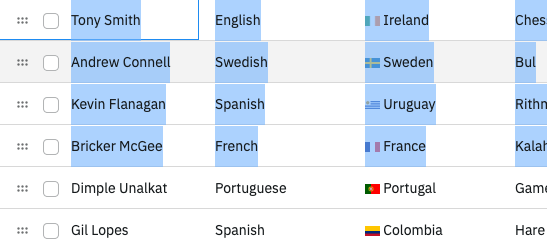
Enabling Cell Text Selection Copy Link
To enable text selection as if the grid were a regular table, set the grid option enableCellTextSelection = true. For the selection to work correctly, the order of the rows within the DOM must match what is displayed by setting the grid option ensureDomOrder = true.
import {
  ClientSideRowModelModule,
  GridApi,
  GridOptions,
  ModuleRegistry,
  createGrid,
  enableDevValidations,
} from "ag-grid-community";
import { IOlympicData } from "./interfaces";

if (process.env.NODE_ENV !== "production") {
  // Enable extended validations only for development
  enableDevValidations();
}

ModuleRegistry.registerModules([ClientSideRowModelModule]);

let gridApi: GridApi<IOlympicData>;

const gridOptions: GridOptions<IOlympicData> = {
  columnDefs: [{ field: "athlete" }, { field: "sport" }, { field: "age" }],
  enableCellTextSelection: true,
  ensureDomOrder: true,
};

const gridDiv = document.querySelector<HTMLElement>("#myGrid")!;
gridApi = createGrid(gridDiv, gridOptions);

fetch("https://www.ag-grid.com/example-assets/olympic-winners.json")
  .then((response) => response.json())
  .then((data: IOlympicData[]) => gridApi!.setGridOption("rowData", data));
<div id="myGrid" style="height: 100%"></div>
export interface IOlympicData {
    athlete: string,
    age: number,
    country: string,
    year: number,
    date: string,
    sport: string,
    gold: number,
    silver: number,
    bronze: number,
    total: number
}
When enableCellTextSelection is set to true, the default Clipboard behaviour is disabled, and only the selected text is copied.